
Version0.4.2
RequiresmacOS 14+
Voice: macOS 26+
Voice: macOS 26+
System OneSnap 1, on-device
System TwoClaude Code · Codex
opencode
opencode
UpdatesAutomatic (Sparkle)
LicenseGPL-3.0
No account · No trackingClass: Launcher / Agent
Apps, documents, commands and an AI agent behind ⌘Space. Type a name and you get the app. Type a question or a task and Space, the agent, takes it.
Free and open source · 8.5 MB · macOS 14+ · Apple silicon & Intel
Enjoying it? Buy me a coffee, any amount.A black bubble opens in the upper middle of the screen and stretches into a search bar. Results grow underneath as you type.
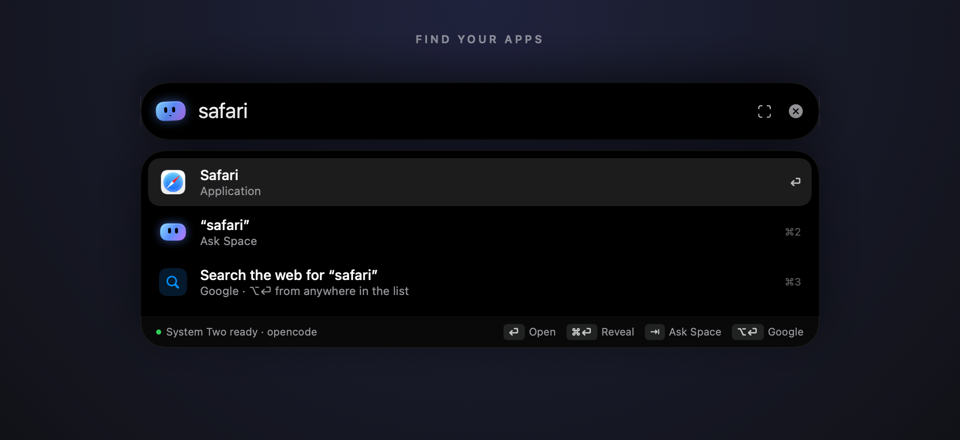
Prefix, initials or any word: saf, vsc, code. It learns what you pick for each query.
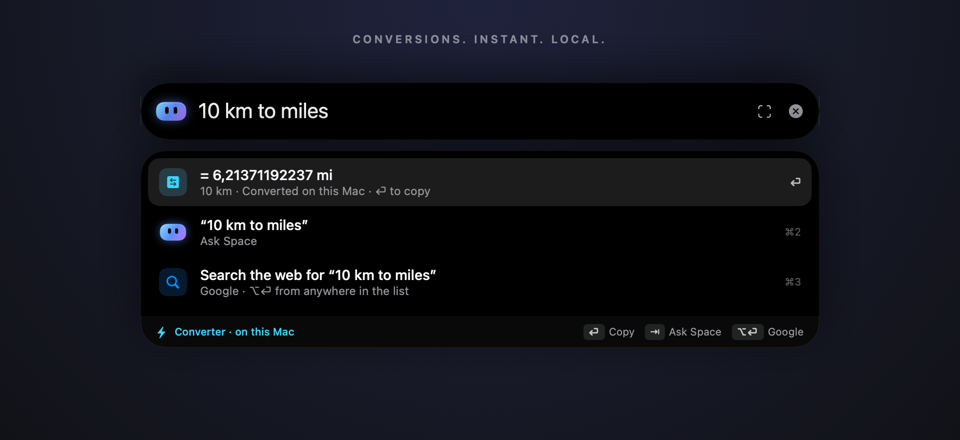
Length, mass, temperature, data sizes, speed and number bases. Instant and local. ⏎ copies.
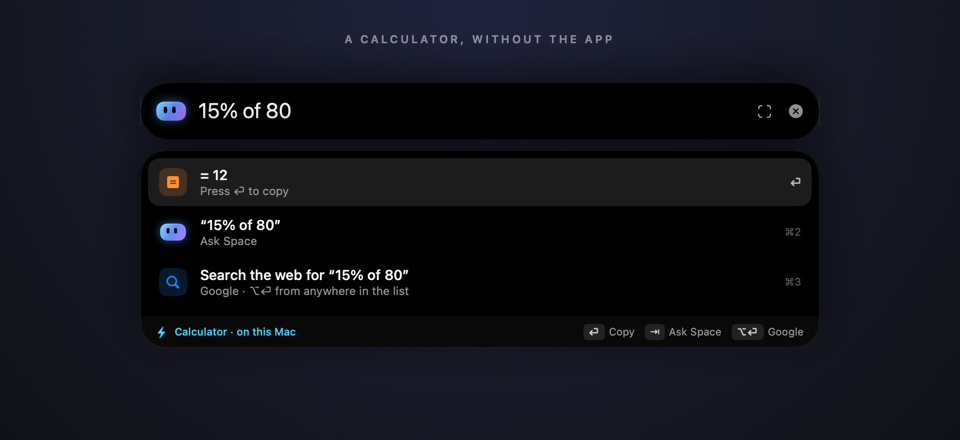
Type the expression, including percentages. Press Enter to copy the answer.
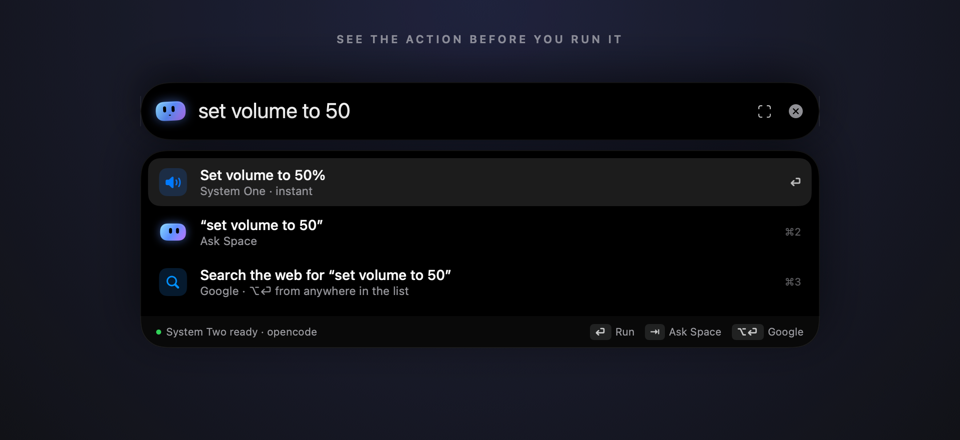
System One commands show the filled-in action before it runs, not a vague command name.
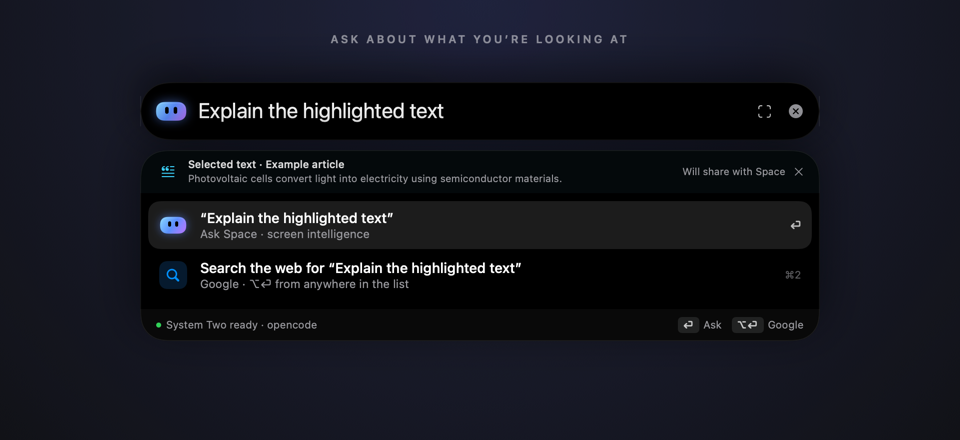
Selected text, page text and the source window come along when you ask about “this”, and you can see and control what gets shared.
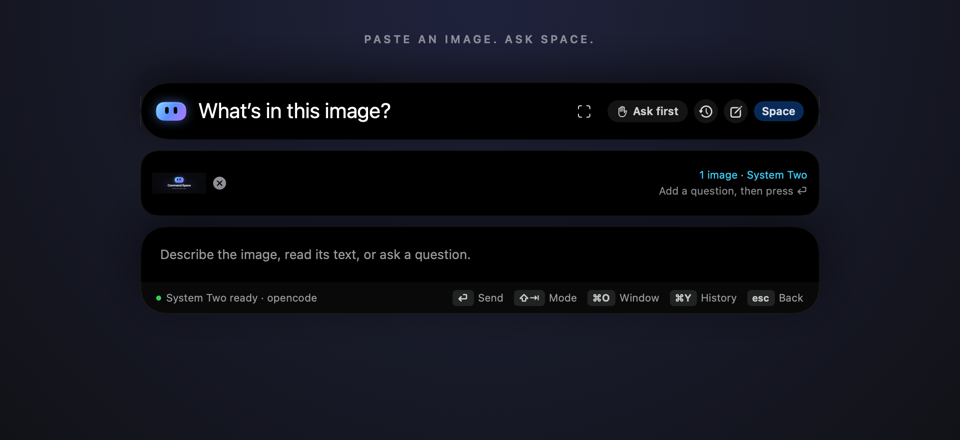
⌘V attaches up to four images and hands the request to System Two. Add a question, then send.
safvsccodeApps, matched by prefix, initials or any wordq3 reportinvoiceDocuments and folders from Spotlight’s index, most recent firstdownloads~/Doc…Places and path completiongithub.comlocalhost:3000Opens in your default browser12*(3+4)15% of 80The answer. ⏎ copies it.10 km to miles32 F to C255 to hexUnit, data-size and number-base conversions, entirely localwifidisplaysSystem Settings paneslocksleeprestartSystem commands. Restart, shut down and log out ask first.volnextdarkSystem OneInstant actions, plus everything Space has learnedyour Shortcuts’ namesRuns the Shortcutsummarize thiswhat’s eating my disk?System TwoThe agent takes it, plus what you’re looking atEvery keystroke goes to a small model on your Mac first. Only real requests reach an agent, and that agent runs on the plan you already pay for.
Snap 1 is a small decision model that runs on this Mac, in roughly 16–25 ms.
Space, the agent, runs on the harness you pick. No keys are stored; it signs in through each CLI.
You decide how much the agent does on its own, per harness or per conversation.
Runs on this Mac: Spotlight’s index, the app list and Snap 1. App and file names never leave it.
Transcribed on-device. Audio never leaves the computer.
Context stays local until you send a relevant question or attach it yourself. No screenshot files are saved.
Sees what you ask and, for “this” requests, what you were looking at. It goes only to the model you chose.
Never stores a key for Codex or Claude Code, and strips API-key variables before launching them.
None. No analytics, no account, no cookies on this page either.
The app isn’t notarized yet, so macOS blocks the first launch. Right-click it → Open → Open, or run:
xattr -dr com.apple.quarantine "/Applications/Command Space.app"New versions install themselves.
For Claude Code or Codex, install and sign in to that CLI, then choose it in Settings → System Two. Nothing else is needed. For opencode, run:
curl -fsSL https://raw.githubusercontent.com/otron-io/command-space/main/agent/setup.sh | zshIt takes ⌘Space from Spotlight (Settings → General → Give back to Spotlight undoes it), walks through permissions, downloads Snap 1 and imports any Notch Agent settings.
Free, open source, and built to stay out of your way.
Command Space is free and open source. If it saves you time, you can buy me a coffee. Any amount helps keep it going.
Built by Mo Mia at Otron, on boring.notch by TheBoredTeam via Notch Agent.